Download Winlator Ludashi v4.1 APK

Winlator Ludashi is a project based on (a fork of) the original Winlator emulator, designed to improve performance when running Windows PC games on Android devices.
What is Winlator Ludashi?
Winlator Ludashi is a modified version of Winlator that utilizes Box64 and Wine technologies to run Windows applications and games on Android devices. By leveraging this compatibility, you can play various PC games on your smartphone without needing a computer. Winlator Ludashi also offers graphics and performance settings that can be adjusted to suit your device's capabilities.
Winlator Ludashi is suitable for Android users who wish to play Windows games with flexible configuration options. You can adjust the resolution, graphics renderer, controls, and various performance parameters to optimize your gaming experience. However, game compatibility and performance may vary depending on the chipset, GPU, RAM, Android version, and specific configuration used.
Differences in Winlator Ludashi Variants
Bionic
Android LibraryBionic utilizes the Android Bionic library environment and is designed to provide good compatibility with the Android system. This variant is suitable for general use and is a viable option for users wishing to run Windows applications or games with a relatively standard configuration.
Vanilla
Basic configurationThe Vanilla variant resembles the basic Winlator configuration, without specific optimizations for particular devices. It is suitable for users who prefer a simpler, more flexible environment, allowing them to configure Wine, Box64, renderers, and performance settings according to their needs.
Red Magic
Gaming PerformanceRed Magic is a variant designed for gaming devices, specifically the Red Magic series. It features configurations or optimizations that enhance the performance of supported devices, making it particularly suitable for users who prioritize gaming performance and compatibility with specific gaming hardware.
Ludashi
Compatibility alternativeLudashi is a variant of Winlator featuring unique configurations and optimizations that can yield different results compared to other variants. For certain games, Ludashi may offer superior compatibility or performance, making it a common alternative when a game fails to run optimally on the Bionic, Vanilla, or Red Magic variants.
Why Choose Winlator Ludashi?
Winlator Ludashi offers several standout features that you can enjoy for playing Windows games on your Android device. Here are some of the key features of this emulator.
Performance Optimization
Winlator Ludashi makes several adjustments to the glibc libraries and container configuration. These changes can improve stability and, in some cases, result in a stable and comfortable frame rate during gameplay.
Updated Graphics Drivers
This package comes equipped with the latest Turnip (Adreno) and Zink drivers. This improves rendering for 3D games and fixes graphical glitches typically found in older Wine implementations.
Audio Latency Fix
In some cases, audio stuttering occurs. Ludashi improves PulseAudio and ALSA integration, which can result in clearer sound.
Engine Compatibility
Ludashi includes a special patch designed to support games developed using Unity and Unreal Engine. This patch addresses crashing issues in certain games—problems that frequently occur with the standard, non-forked version of Winlator.
Multi-Language UI
Ludashi supports multiple languages, such as Simplified Chinese, with English as its primary language. The project may also support other languages in the future.
Latest Box86/64
Winlator Ludashi utilizes continuously updated versions of Box86 and Box64 to facilitate running x86 and x64-based Windows applications and games on ARM64-architecture Android devices. These updates can improve compatibility, stability, and performance when running various Windows games within the Wine environment.
System Requirements
For optimal performance, please verify that your device meets the specifications outlined below.
Processor (SoC)
Minimum: Snapdragon 732G or Helio G99.
For demanding games such as GTA V, the Snapdragon 8 Gen 2 or a more advanced chipset is the way to go.
RAM
Six gigabytes of RAM is the bare minimum. To ensure a smooth gaming experience, aim for eight to twelve gigabytes.
OS Version
Android 10 or later is the way to go for improved driver compatibility. Turnip drivers, in particular, need more recent Android kernels to function properly.
How To Install & Use Winlator Ludashi
Follow these step-by-step screenshots to install Winlator Ludashi APK and set up your first Windows game on Android.
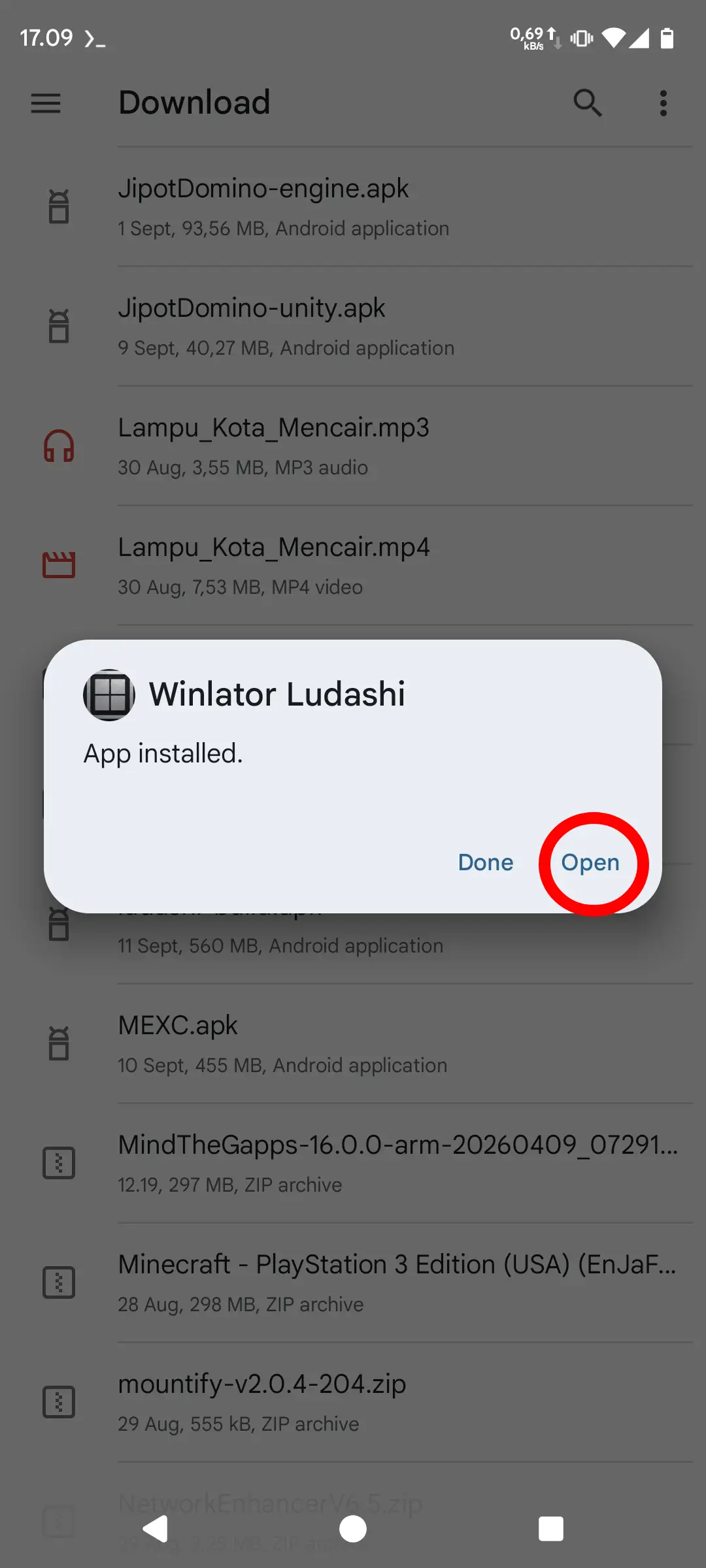
Install APK
Open the downloaded APK. If Android blocks the installation, allow Install unknown apps for the browser or file manager you used, return to the installer, and tap Install. When installation finishes, tap Open to continue the initial setup.
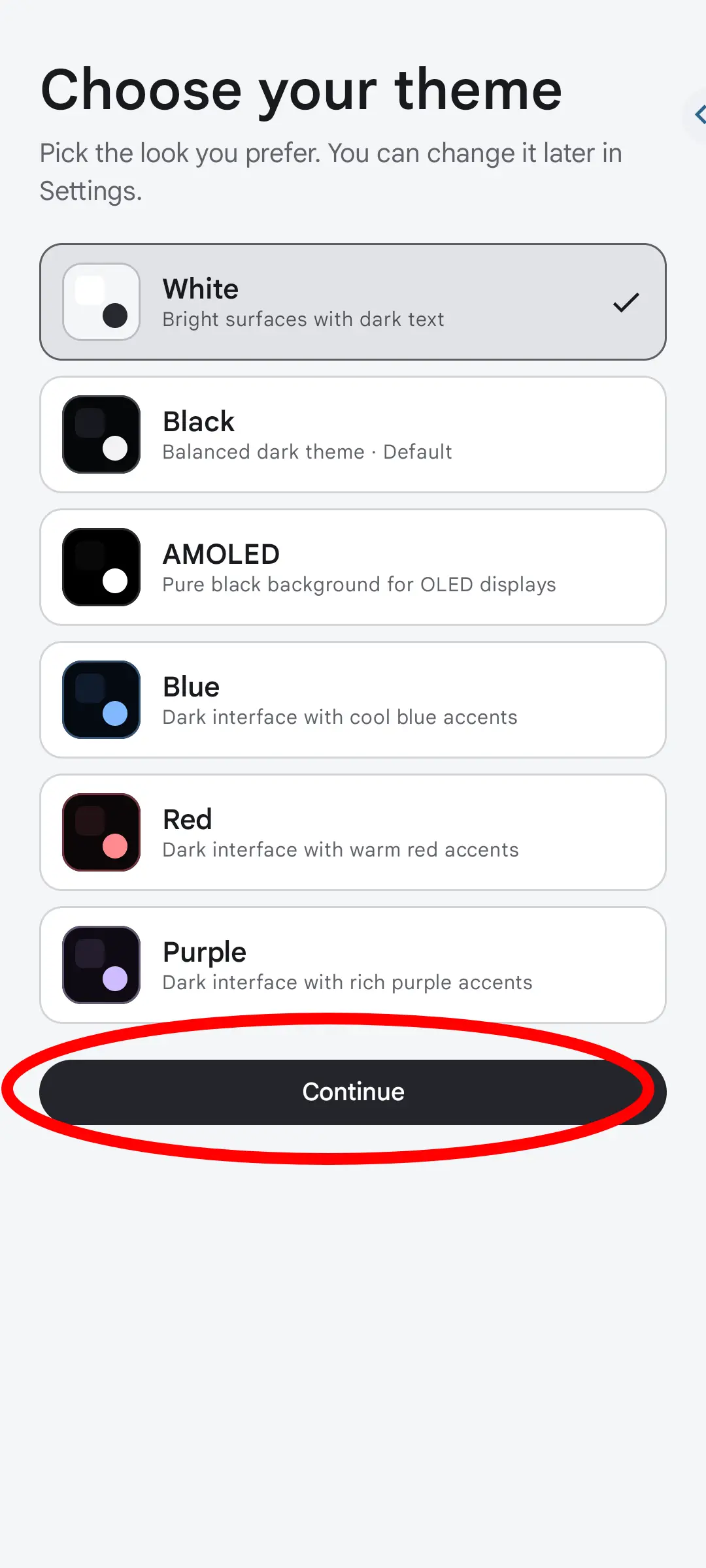
Choose Theme
Choose White, Black, or AMOLED for the Winlator Ludashi interface. The choice changes the app's appearance, so select the option that is easiest to read on your screen; AMOLED is especially suitable for OLED displays and dark environments.
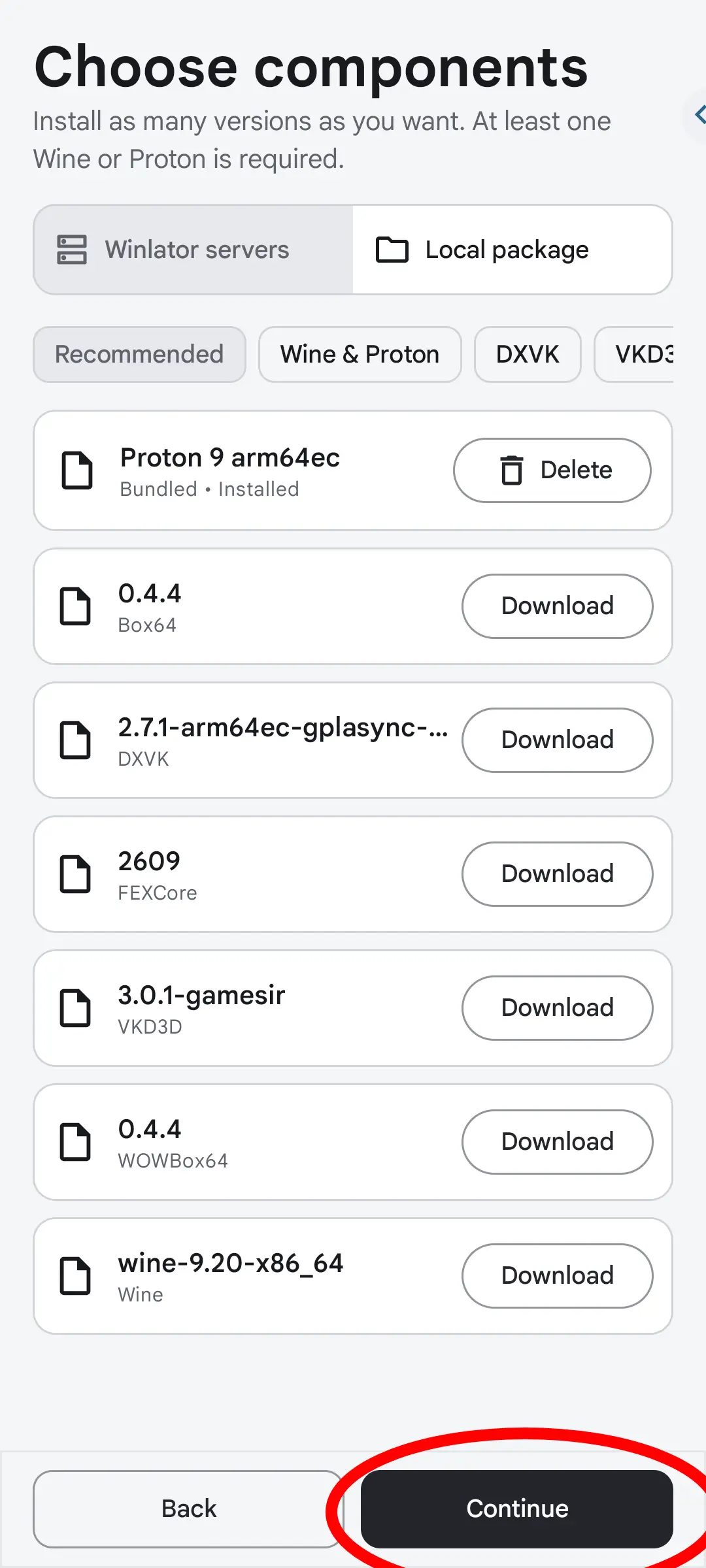
Select Components
Review the runtime components that Winlator Ludashi will download, including Wine or Proton, Box64, DXVK, and VKD3D. Keep the recommended selections if you are unsure, make sure your internet connection is stable, and wait until every component finishes downloading before continuing.
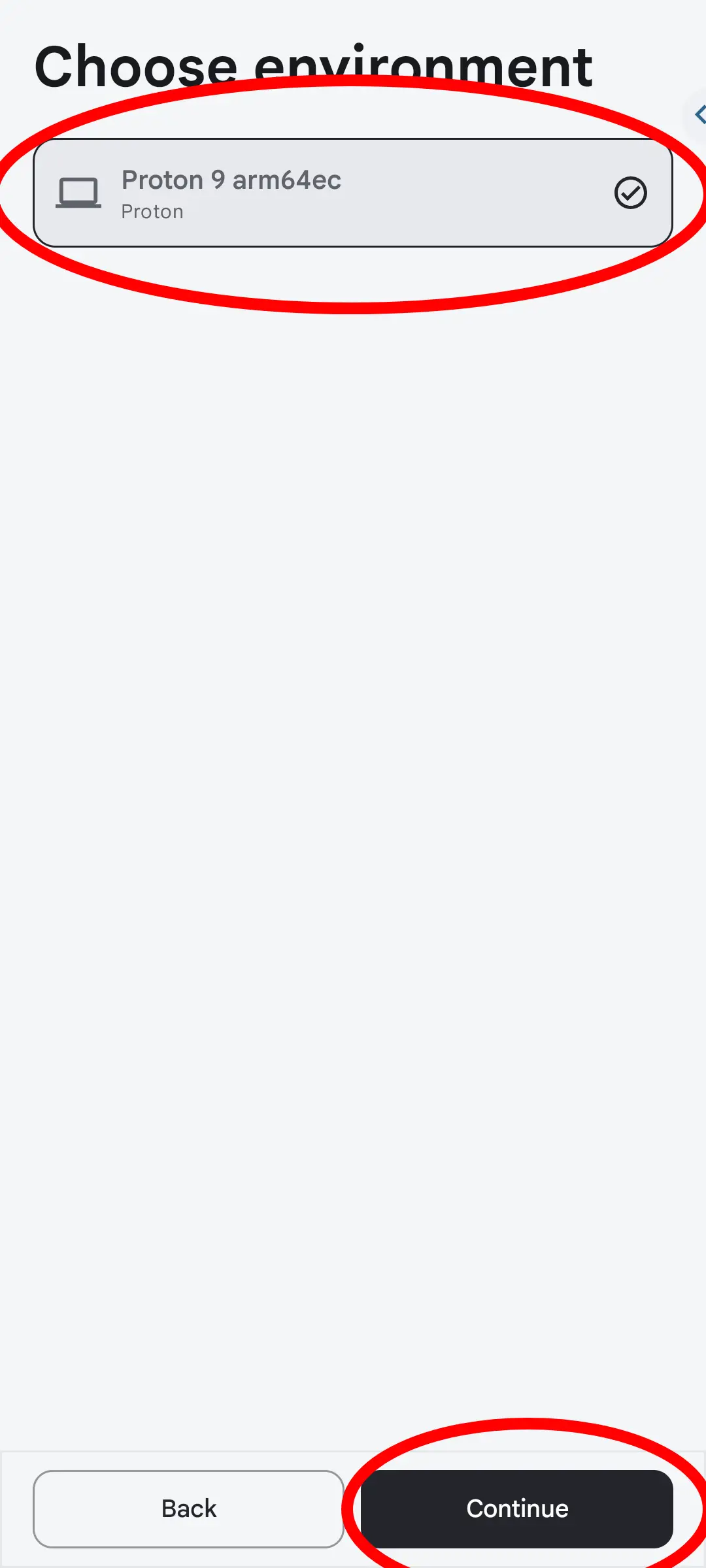
Choose Environment
Select the Windows runtime environment that will be used by your games. Start with the recommended Proton 9 arm64ec option shown in the app. If a particular game later fails to start, testing another available Wine or Proton environment may improve compatibility.
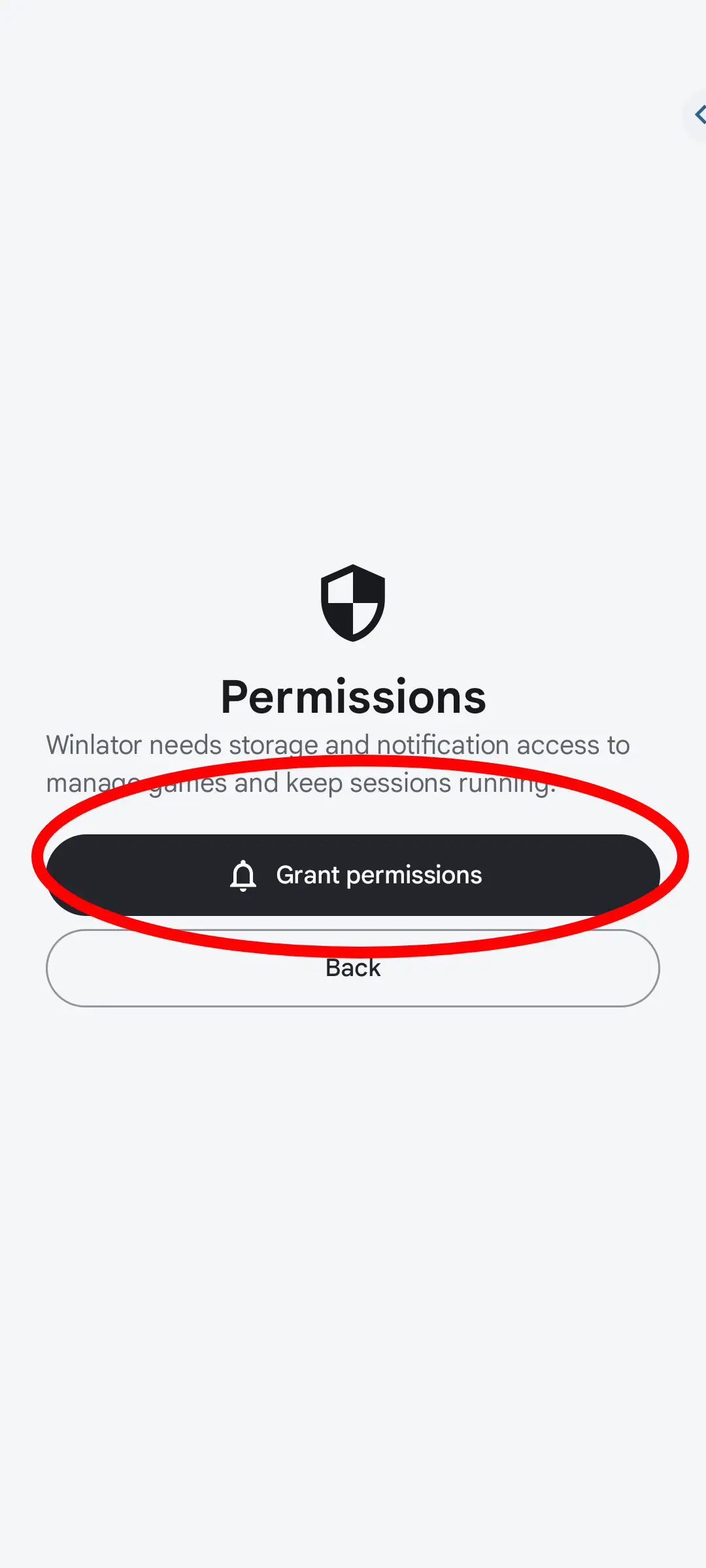
Grant Permissions
Grant file or storage access so Winlator Ludashi can find game folders, installers, and other required files on your device. Notification access is optional for status messages, but file access is required when importing games from shared storage.
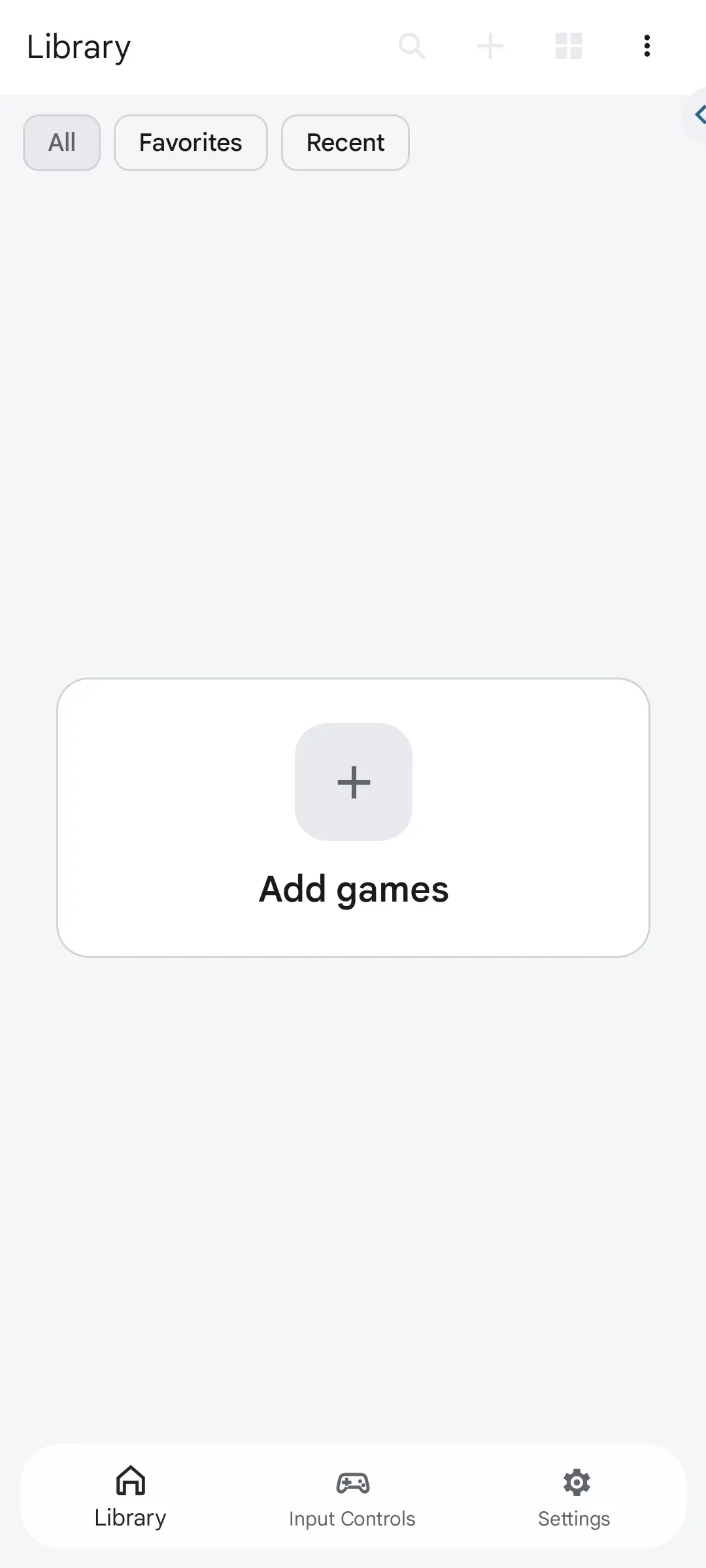
Add Games
Open the Library screen and tap Add games. Select the folder, installer, or Windows executable for the game you want to add, then confirm the new library entry. You can adjust that game's container and graphics settings before launching it.
Frequently Asked Questions
Other Articles
WinNative APK Free Download
Get the advanced WinNative emulation environment for Android. Unifying Winlator Bionic and Pluvia, play Windows games with Steam, Epic, and GOG library integration.
GameNative Apk Free Download
Winlator Ludashi is an open-source app that lets you run Windows (x86/x64) apps and PC games right on your Android.
Download Firmware PS3 untuk Emulator ArmSX3
Download the official PS3 firmware (PS3UPDAT.PUP) for RPCS3 and other emulators. Includes an installation guide and instructions on how to obtain the firmware legally.
Download Firmware PS3 For Emulator RPCS3
Download the official PS3 firmware (PS3UPDAT.PUP) for RPCS3 and other emulators. Includes an installation guide and instructions on how to obtain the firmware legally.
PS2 BIOS for ARMSX2 Free Download
Download PS2 BIOS for ARMSX2 emulator. Essential system files to run PlayStation 2 games on Android. Legal dump guide & setup tutorial included. Get started now!
Popular Games on Winlator Ludashi
GTA V Lite 2GB
Many people consider Grand Theft Auto V to be a great game in the open-world genre, but its huge file size and heavy hardware requirements have made …
GTA 4 Lite
With its streamlined design, Grand Theft Auto IV Lite makes the classic action-adventure game more accessible to a wider audience by using fewer …
GTA IV Lite
GTA IV Lite captures the essence of high-stakes urban adventure in a streamlined package, making it an ideal choice for gamers seeking thrilling …
GTA 5 Lite
GTA 5 Lite is a streamlined version of Rockstar Games’ famous action-adventure game that is perfect for gamers who want high-stakes crime …
PES 2017 Patch 2026
The PES 2017 Patch 2026 gives new life to the classic Pro Evolution Soccer 2017, turning it into a modern powerhouse for soccer fans. This popular …
GTA 5
Grand Theft Auto V, commonly known as GTA 5, redefines the action-adventure landscape with its expansive world-building and gripping narratives. This …